
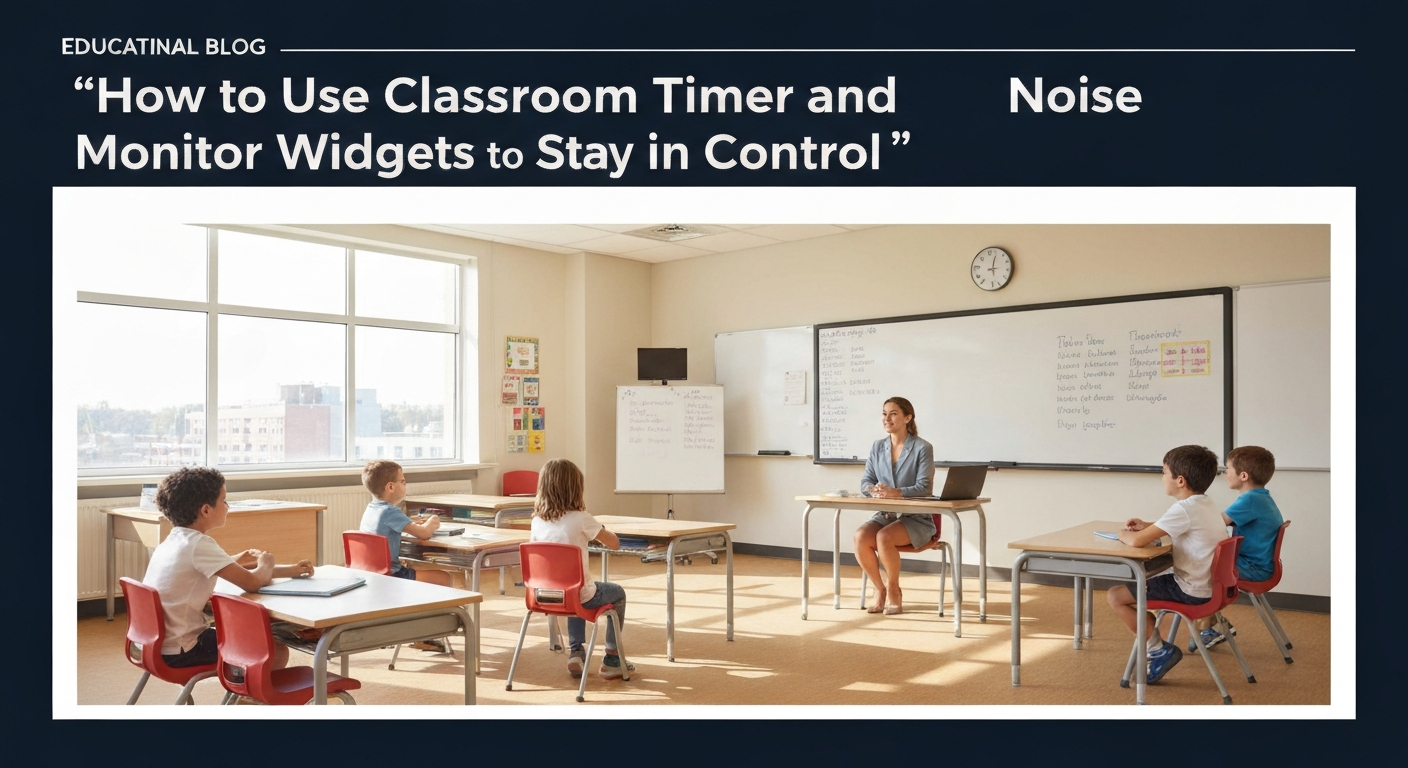
In the dynamic world of education, maintaining an engaging and orderly classroom environment is a perpetual challenge. Teachers, from bustling K-12 classrooms to focused higher education seminars and diverse international settings, constantly seek effective strategies to manage time, foster student engagement, and regulate noise levels without resorting to constant verbal redirection. The good news? Modern digital tools, particularly interactive classroom screens equipped with intuitive timer and noise monitor widgets, offer a powerful, visual, and highly effective solution. This article will dive deep into practical, evidence-based tips for leveraging these indispensable tools to transform your classroom management, empower student self-regulation, and create a more productive learning space. You'll learn how to integrate these widgets seamlessly into your daily routine, turning potential distractions into opportunities for enhanced focus and collaborative success.
1. Establish Predictable Structure with Visual Timers
One of the most significant benefits of using a classroom timer displayed prominently on your interactive board is its ability to create a clear, predictable structure for your lessons. Students, regardless of age or background, thrive on routine and knowing what to expect. Visual timers remove ambiguity, reducing anxiety and allowing students to manage their own time more effectively.
The Power of Transparency
Imagine a typical classroom scenario: "You have five minutes left!" This verbal cue often leads to a flurry of questions, repeated instructions, and varying interpretations of how much time is truly remaining. When a countdown timer is displayed clearly on your classroom screens, there's no room for doubt. Everyone sees the same ticking clock, fostering a shared sense of urgency and accountability.
- Activity Timers: Use a countdown timer for specific tasks like independent work, group discussions, or worksheet completion. For instance, "We have 15 minutes for silent reading, then we'll discuss in pairs." Displaying this visually helps students pace themselves.
- Transition Timers: Smooth transitions are the bedrock of an efficient classroom. A 2-minute timer for "pack up," "move to the carpet," or "switch stations" can drastically reduce downtime and minimize behavioral issues that often arise during unstructured moments.
- Breaks and Brain Breaks: Clearly timed breaks (e.g., a 10-minute recess timer, a 3-minute brain break timer) provide students with a clear understanding of when they can relax and when it's time to refocus. This is particularly helpful for younger students or those with attention challenges.
Introducing Timers Effectively
For timers to be truly effective, students need to understand their purpose and how to respond to them. When first introducing a timer widget from platforms like MentofyBoards, explain:
- What it is: "This is our classroom timer. It helps us stay on track and makes sure everyone gets enough time for their work."
- Why we use it: "It helps us move smoothly from one activity to the next, so we don't waste precious learning time."
- What to do when it rings/ends: "When the timer reaches zero, it's time to stop what you're doing, put your pencils down, and look at me."
Consistency is key. The more you use timers, the more students will internalize their meaning and respond appropriately, leading to a more self-regulated and harmonious classroom.
2. Optimize Pacing and Flow for Deeper Learning
Beyond basic time management, classroom screens with timer widgets can be strategically employed to optimize the pacing and flow of your lessons, ensuring that students remain engaged and that critical learning objectives are met within designated periods. This is particularly valuable when delivering complex content or facilitating multi-stage activities.
Chunking Content for Focus
Long blocks of instruction can lead to student disengagement. By using timers to "chunk" your content, you break down lessons into manageable segments, each with a clear time limit. For example:
- Mini-Lectures: A 10-minute timer for a direct instruction segment, followed by a 5-minute partner discussion, then a 5-minute whole-class share. This prevents cognitive overload and keeps students actively processing information.
- Reading Comprehension: Assign a text and set a timer for students to read independently. Then, set another timer for them to answer specific questions, followed by a collaborative activity. This structured approach helps students focus on each part of the task without feeling rushed or overwhelmed.
- Review Sessions: During exam preparation, use timers for quick-fire review rounds. For instance, "You have 2 minutes to jot down everything you remember about the Civil War," followed by a timed peer-review.
Facilitating Effective Group Work
Group work, while immensely beneficial, can quickly devolve into off-task chatter or unequal participation if not managed effectively. Timers on classroom screens provide the necessary framework for productive collaboration.
- Role Rotation: If group members have specific roles (e.g., recorder, facilitator, reporter), use timers to ensure equitable rotation of these roles within a longer activity. "Recorder for the next 7 minutes, then switch!"
- Segmented Tasks: Break down a larger group project into timed segments. "First 15 minutes: brainstorm ideas. Next 20 minutes: outline your presentation. Final 10 minutes: create your visual aids." This keeps groups focused and prevents procrastination.
- Reporting Out: When groups present their findings, a visual timer ensures that each group gets an equal opportunity to share and that the overall reporting time doesn't run over. This also teaches students to be concise and prioritize key information.
By consciously integrating timers into your lesson design, you cultivate a classroom culture where time is respected, and every minute is maximized for learning.
3. Cultivate a Productive Soundscape with Noise Monitors
Classroom noise is a perennial challenge. The traditional approach often involves constant verbal reminders, shushing, or even punitive measures, which can disrupt learning and strain teacher-student relationships. Enter the noise monitor widget on your classroom screens – a game-changer for fostering a self-regulating, productive soundscape.
Objective Feedback, Not Subjective Scolding
A noise monitor provides real-time, objective feedback on the classroom's sound level. Instead of a teacher saying, "It's too loud!" (which can feel subjective or accusatory), the students see a visual representation of the noise level themselves. This shifts the responsibility from the teacher to the collective student body, fostering a sense of shared ownership over the learning environment.
MentofyBoards, for instance, offers an interactive noise monitor widget that visually indicates when the classroom sound level exceeds a pre-set threshold. This immediate, non-verbal cue is incredibly powerful.
- Visual Cues: Most noise monitors use a simple visual scale, often with color changes (e.g., green for ideal, yellow for getting loud, red for too loud) or a moving meter. This is especially effective for younger learners who respond well to visual signals.
- Empowering Self-Correction: When students see the noise level rising, they can self-correct without teacher intervention. This builds crucial self-regulation skills and reduces the need for the teacher to constantly police noise.
- Setting Clear Expectations: Before using the noise monitor, discuss with your students what constitutes an appropriate noise level for different activities. "During independent reading, the green zone is our goal. For group work, yellow is okay, but let's try to avoid red."
Differentiating Noise Levels for Activities
Not all activities require the same level of quiet. The beauty of a digital noise monitor is its flexibility to adapt to varying classroom needs.
- Silent Work: For tests, individual assignments, or quiet reading, set a very low threshold. The visual feedback reinforces the expectation of silence.
- Collaborative Work: During group discussions, partner activities, or project-based learning, a moderate noise level is not only acceptable but often desirable. Adjust the threshold to allow for productive conversation while preventing excessive volume that might disturb other groups.
- Whole-Class Discussion: During whole-class Q&A or discussions, the noise monitor can help ensure that only one person is speaking at a time and that excited chatter doesn't overtake the conversation.
By making noise management a shared, visual responsibility, you create a classroom culture where students are mindful of their impact on others and actively contribute to a conducive learning atmosphere.
4. Gamify Engagement and Accountability
Integrating timers and noise monitors into gamified learning experiences can significantly boost student engagement and foster a sense of collective accountability. When learning feels like a game, students are often more motivated to participate, adhere to rules, and support their peers.
Timed Challenges and Competitions
Many MentofyCove classroom games, like trivia game or Word Search, naturally incorporate timers. Extend this concept to other classroom activities:
- Quick Quizzes: Use a timer for short, formative quizzes. "You have 3 minutes to answer these three questions on the board. Let's see who can get them all correct!" This adds a fun, competitive edge without high stakes.
- Problem-Solving Races: Present a challenging problem to groups and set a timer for them to find a solution. The first group to correctly solve it (while staying within the noise limits!) earns points.
- "Beat the Clock" Activities: For skill-building exercises (e.g., math facts, vocabulary recall), challenge students to complete a certain number of problems before the timer runs out. This encourages speed and accuracy.
- "Minute to Win It" Challenges: Adapt popular game show concepts for quick, engaging activities that require focus and collaboration under time pressure.
Pairing these timed challenges with a scoreboard widget (also available on MentofyBoards) can amplify the excitement and motivation.
Noise Monitor as a Team Goal
The noise monitor isn't just for curbing loudness; it can be integrated into positive reinforcement systems:
- Classroom Noise Challenge: Set a collective goal for the class, e.g., "If we can keep our noise level in the green zone for 20 minutes during independent work, we earn 5 extra minutes of free time." The noise monitor on the classroom screens becomes the objective referee.
- Group Noise Points: During group work, assign points to groups that consistently maintain an appropriate noise level. This encourages peer accountability within groups to keep chatter productive.
- "Quiet Time" Rewards: For younger students, if the noise monitor stays in the green for a specified period, the class earns a small reward (e.g., a sticker, extra story time, or a special class privilege).
By transforming time and noise management into an interactive, game-like experience, you harness students' natural desire for play and competition to create a more focused and cooperative learning environment. Tools like Kahoot, Gimkit, or Blooket are great for gamified learning, and integrating timers and noise monitors from your main display can enhance these experiences.
5. Differentiate Support and Foster Self-Regulation
Every classroom is a microcosm of diverse learners, each with unique needs and learning styles. Timers and noise monitors, when used thoughtfully on your classroom screens, can be powerful tools for differentiation, providing crucial support for students who benefit from external structures while simultaneously nurturing self-regulation skills across the board.
Supporting Executive Function
Many students, particularly those with ADHD, autism spectrum disorder, or general executive function challenges, struggle with time management, task initiation, and maintaining focus. Visual timers can be a lifeline for these learners:
- Visualizing Time: For students who struggle with the abstract concept of time, a countdown timer (especially one that visually depletes, like a pie chart timer) makes the passage of time concrete. This reduces anxiety about deadlines and helps them allocate their effort effectively.
- Task Chunking: Breaking down large assignments into smaller, timed segments (e.g., "First 10 minutes: outline your essay. Next 15 minutes: write your introduction.") helps students with initiation and prevents feeling overwhelmed.
- Transition Support: Predictable timers for transitions can significantly reduce stress for students who thrive on routine and struggle with unexpected changes. They know exactly when an activity will end and what comes next.
Addressing Sensory Sensitivities and Focus
Noise levels can profoundly impact students with sensory sensitivities or those who are easily distracted. A noise monitor widget provides a non-punitive, objective tool to manage the auditory environment:
- Reducing Auditory Overload: For students highly sensitive to sound, a consistently monitored noise level can create a calmer, more predictable environment, reducing sensory overload and allowing them to focus better.
- Visual Cue for Focus: Students who are easily distracted by noise can use the noise monitor as an external cue to self-regulate their own volume and encourage peers to do the same, without the teacher needing to intervene.
- Advocacy Skills: Over time, students can learn to advocate for their needs, perhaps by pointing to the noise monitor if a group nearby is becoming too disruptive, rather than becoming frustrated or shutting down.
Promoting Independence and Agency
Ultimately, the goal of these tools is not just compliance but empowerment. By consistently using timers and noise monitors on classroom screens, you are implicitly teaching students:
- Time Management: How to estimate time, pace themselves, and complete tasks within deadlines.
- Self-Awareness: How their own actions (e.g., talking loudly) impact the collective environment.
- Responsibility: Taking ownership for contributing to a productive learning space.
This shift from external control to internal regulation is a cornerstone of effective education, preparing students not just for the next lesson, but for lifelong learning and collaboration.
6. Strategic Integration with Lesson Planning and Classroom Management
The true power of timer and noise monitor widgets on classroom screens is realized when they are not just isolated tools but are strategically integrated into your broader lesson planning and classroom management philosophy. They become an extension of your teaching, working in concert with other digital resources to create a cohesive and highly effective learning environment.
Seamless Integration with Digital Platforms
Modern teaching platforms offer a suite of tools that can enhance the utility of your timers and noise monitors. For example:
- Lesson Planning: When using an AI lesson plan generator like Mentofy Academia, you can consciously design activities with specific time allocations in mind, knowing that your classroom screens will visually reinforce these timings. This ensures that your lesson structure is realistic and achievable.
- Student Grouping: If you're using a tool like MentofyGroups for smart student grouping or icebreakers, you can pair it with a timer for the activity. For instance, "You have 5 minutes to complete this MentofyGroups icebreaker, then we'll share."
- Feedback and Reflection: After a timed activity or a period monitored for noise, take a moment for reflection. "How did we do with our time management today?" or "What strategies helped us keep our noise in the green zone?" This metacognitive practice reinforces learning.
Beyond the Basics: Advanced Applications
Once you're comfortable with the core functions, consider these advanced applications:
- Interval Timers: For sustained work periods, an interval timer can prompt students to take short, structured breaks (e.g., work for 25 minutes, break for 5 minutes, like the Pomodoro Technique). This is excellent for focus and preventing burnout.
- Randomizers for Engagement: Combine your timer with other MentofyBoards widgets like a dice roller or a random name picker. "You have 2 minutes to discuss the prompt, and then the dice will decide which group shares first!" This adds an element of surprise and keeps students on their toes.
- "Flex Time" Management: Designate a block of "flex time" on your timetable, managed by a timer. During this time, students can choose from a menu of activities (e.g., finish incomplete work, work on a passion project, engage in quiet reading). The timer ensures structure within this flexible period.
- Co-Teacher Collaboration: If you have a co-teacher or teaching assistant, these visual cues provide a common reference point for managing the class, ensuring everyone is on the same page regarding time and noise expectations.
By embedding timers and noise monitors into the fabric of your teaching practice, you transform your classroom screens from mere display devices into dynamic, interactive partners in creating an optimally managed and highly engaging learning environment. They become an invaluable asset, whether you're teaching K-12, higher education, or in an international setting where clear visual cues can bridge language barriers.
Ready to save hours every week? Mentofy is free for teachers — start in under 2 minutes.




 Explore AI Teaching Tools
Comments (0)
Please login to comment
No comments yet
Be the first to comment on this article